What you'll learn
- Study paths for state, effects, performance and custom hooks
- Match symptoms like infinite loops or stale closures to the right tool
- A mental model for which hook owns which job
- A practical FAQ for the built-in hooks and custom hook examples
Hooks turn function components into a place for state, effects and reusable behavior. The trap is learning every hook as a checklist. The useful habit is knowing which problem each hook owns, and which problems are not hooks at all.
Prefer the official docs. Use the path picker when you know your goal. Use the symptom matcher when something is already broken. The FAQ below stays for deep reference.
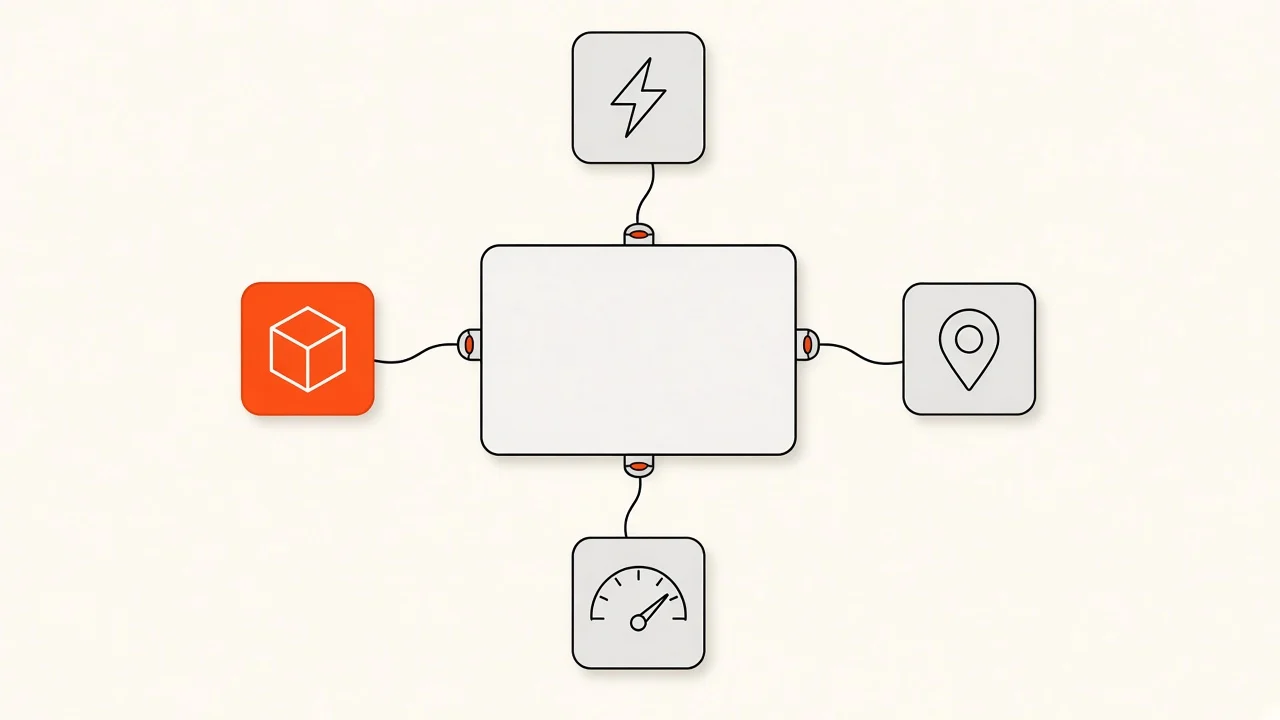
How to study hooks
- Start with state and events, not effects.
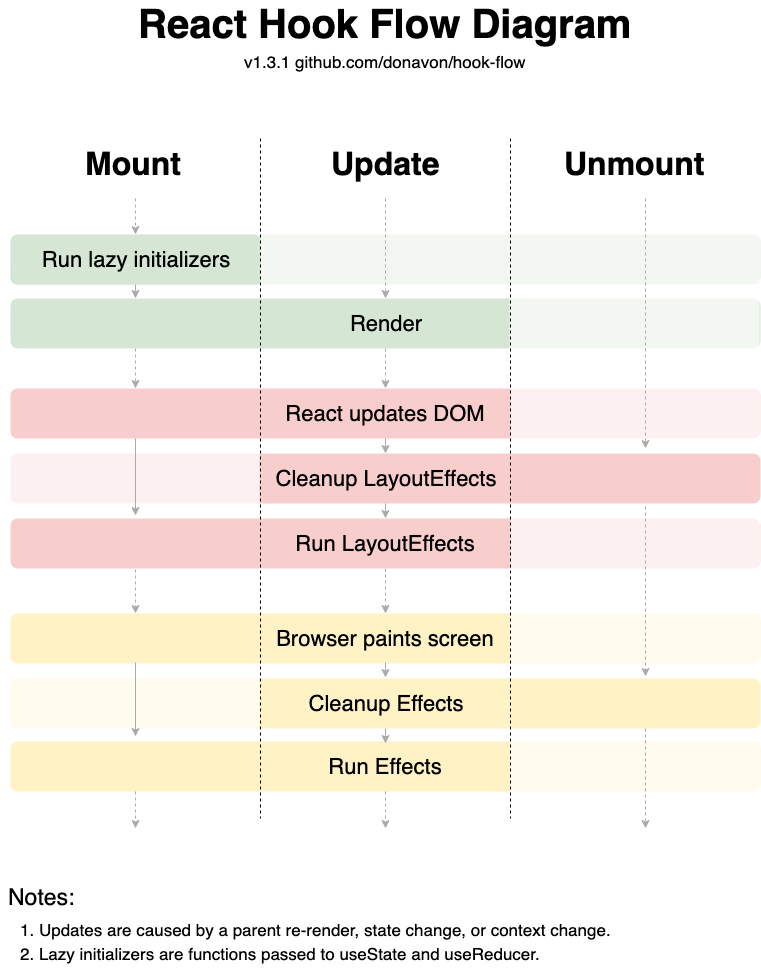
- Treat effects as sync with outside systems, not as a second render phase for derived data.
- Memoize after you measure, not by default.
- Extract a custom hook only when the same stateful logic appears more than once.
Rules of Hooks still apply: call hooks at the top level, only from React functions, in the same order every render.
Pick a study path

Try it: hooks study path
Pick what you want to get good at. You get a short path, why that order works, and a first-week exercise.
Your path
State before effects
Most UI work is local state and events. Master useState and when to lift state before reaching for effects or stores.
- useState
Local state that survives re-renders.
- React Hooks reference
Full hooks reference when you need the next tool.
- useContext
Share state without a global store when the tree is small.
- State Management
When local state is no longer enough.
First week
Rebuild one form with only useState. Lift shared state once. Do not add an effect unless you sync with something outside React.
The deep dive below keeps a FAQ for each hook. Use the path so you do not read every FAQ on day one.
Checkpoint
You are building a form with local fields and submit handling. What should you reach for first?
Pick an answer, or press A, B, C on your keyboard.
Match a hook symptom

Try it: match a hook symptom
Choose what you are seeing in the app. The matcher points to a primary guide or hook and an optional second stop.
The symptom
The component keeps updating forever, often after an effect sets state that retriggers the same effect.
Start here
You Might Not Need an EffectMany loops are effects that should have been derived state or event handlers instead.
Reproduce the bug with React DevTools before you add memoization. Symptoms lie when the root cause is state location.
Key takeaway
If an effect only recalculates something you already know during render, delete the effect. Derived data should be computed while rendering.
Hooks mental model
The React docs are the best material for understanding hooks. The diagram below maps jobs to tools.
Hooks mental model: which hook for which job
State
useState for local state
useReducer for complex transitions
Side effects
useEffect to sync with outside systems
useLayoutEffect only when layout measurement timing matters
References
useRef for mutable values that do not trigger a render
useImperativeHandle for controlled ref APIs
Performance
useMemo for expensive derived values
useCallback for stable callback identities
Rule of thumb
Start simple, profile, then optimize only the bottlenecks you measured.
Hooks Deep Dive
Custom hooks
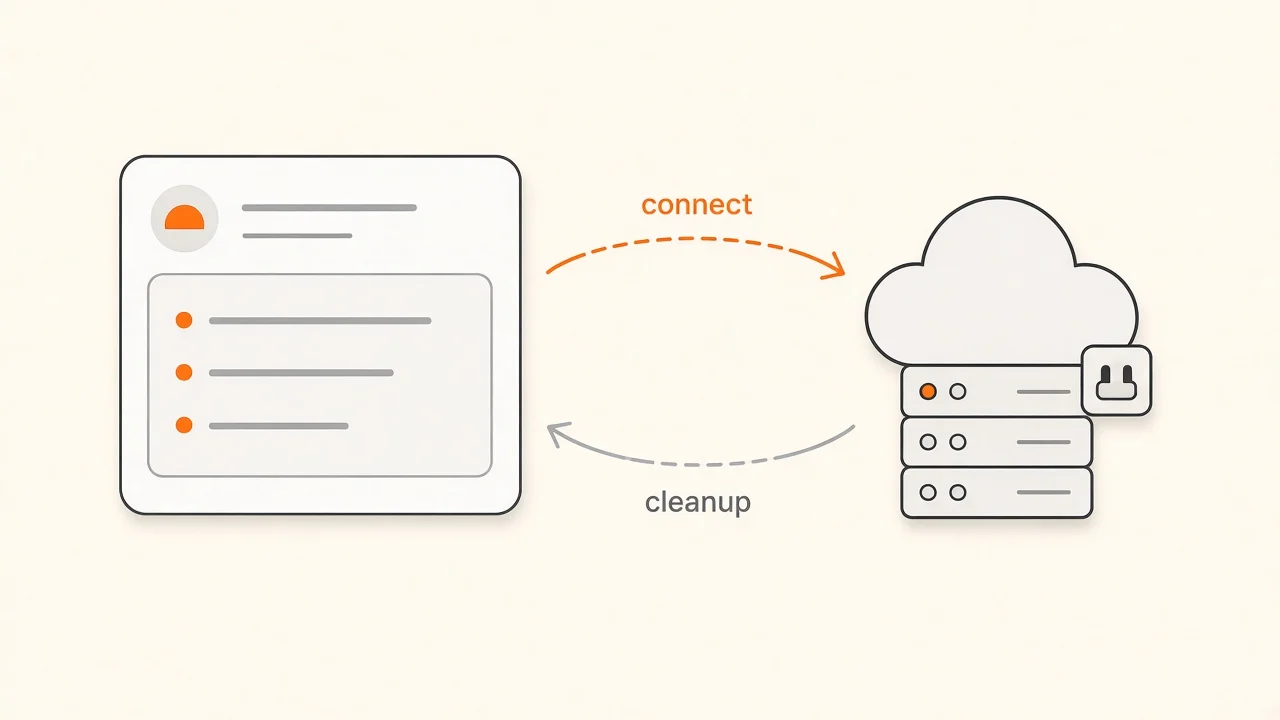
Custom hooks share stateful logic without inventing a new component type. Name them useSomething and keep each hook focused on one job.

You can also copy hooks from these collections when you want battle-tested helpers without a heavy dependency:
Official guide: Reusing Logic with Custom Hooks (opens in a new tab).
Checkpoint
When should you reach for useMemo or useCallback?
Pick an answer, or press A, B, C on your keyboard.
The key habit
State and events first, effects for outside systems, memoization after measurement, custom hooks when logic repeats.
Hooks checklist
- I know which problem each common hook owns
- I avoid effects for derived state
- I can explain Rules of Hooks in plain words
- I profile before adding useMemo or useCallback
- Custom hooks have one clear job and a stable return shape
- Context updates are split when they re-render too much
Further reading
- State Management
- Stop Unnecessary Re-renders
- React Fundamentals
- React Performance Optimization
- JavaScript Performance Patterns
- Why Parent State Causes Child Re-render
- Ecosystem
Conclusion
Hooks are small APIs with sharp edges. The FAQ below is a reference. The path and symptom tools above are how you study without drowning.
Ship simple. Measure. Then optimize.
The key takeaway
Use the right hook for the job, and do not invent a job just to use a hook.
Check your understanding
What belongs in useState before you reach for effects?
Pick an answer, or press A, B, C on your keyboard.
Recap
What to remember from this article
Sections read
0
Questions
0
none answered yet
Quiz
0
not taken yet
Up next: State Management Fundamentals · 20 min
Continue