What you'll learn
- React Elements vs Fiber: description vs unit of work
- Render Phase vs Commit Phase: function execution ≠ DOM mutation
- Re-render propagation through a Parent’s subtree
- Bailouts (e.g. React.memo) and when Child work is skipped
One of the most common questions when learning React rendering is:
Why can changing a Parent's state cause a Child component to re-render, even when the Child's props haven't changed?
To answer this properly, we first need to understand how React's rendering mechanism works, especially the difference between the Render Phase and the Commit Phase.
React Elements and the Element Tree
Everything we describe in React's UI is represented using React Elements.
For example:
function Parent() {
  return <Child />
}
Conceptually, React can represent this UI as a tree:
With a larger application, the structure might look like:
A React Element is a declarative description of the UI. It contains information such as the element's type, props, and children.
But React needs more than this description to efficiently process updates.
This is where Fiber comes in.
What Is the Fiber Tree?
React uses an internal data structure called Fiber to represent and process rendering work.
The Fiber tree corresponds closely to the component hierarchy:
However, the Fiber tree and React Element tree are not the same thing.
A useful mental model is:
React Element: What should the UI look like?
Fiber: How does React track and process the work required to produce and update that UI?
A Fiber node can track information such as:
- Component type
- Props
- State-related information
- Parent, child, and sibling relationships
- Update information
- Context dependencies
- Scheduling information such as lanes
This internal structure allows React to process rendering work and schedule different updates. For example, responding to user input may require different scheduling considerations from processing a very large amount of rendering work.
So Fiber should not be thought of simply as a tree that "describes changes and priority."
It is better described as:
React's internal data structure and unit of work for tracking and processing rendering work.
Key takeaway
A React Element describes what the UI should look like. A Fiber is how React tracks and processes the work to get there.
Checkpoint
Which statement best describes a Fiber?
Pick an answer, or press A, B, C, D on your keyboard.
Render Phase vs Commit Phase
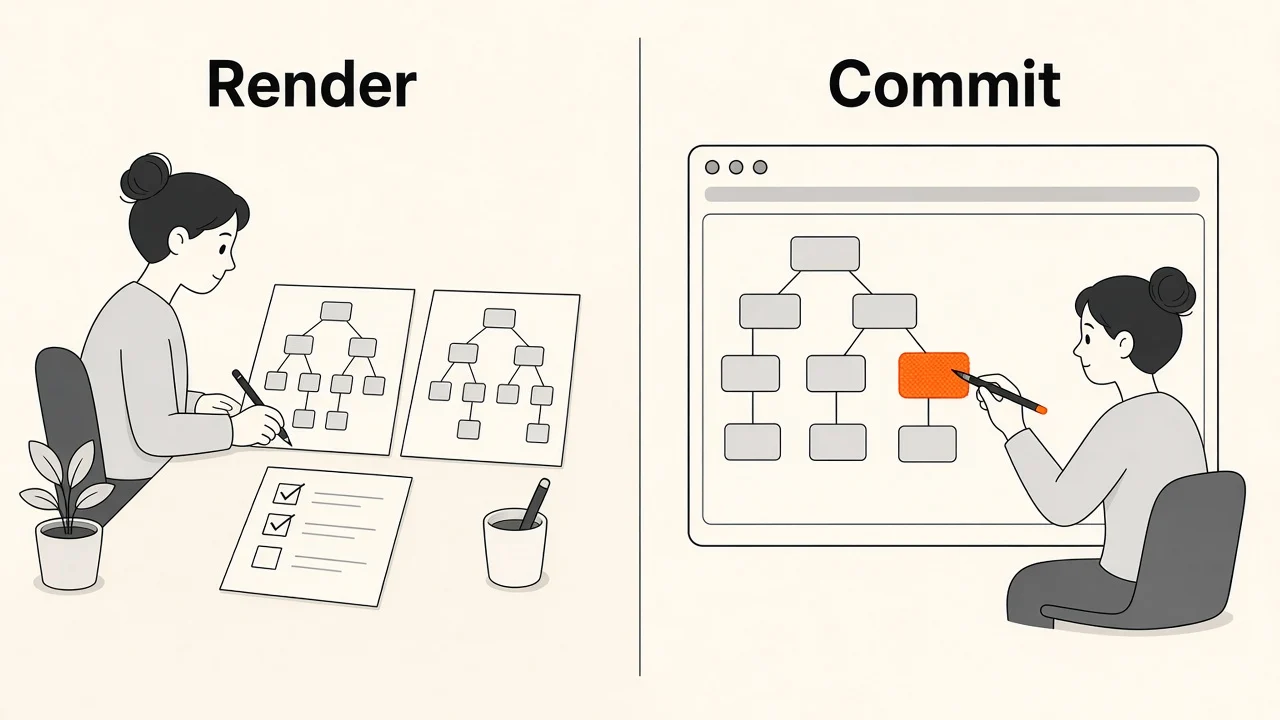
Now we can look at what happens when something changes.
Suppose a component updates its state:
setCount(count + 1)React needs to determine what the UI should look like after this update.
This work is divided conceptually into two important phases:
- 1
State Update
setCount schedules work
- 2
Render Phase
Calculate the next UI
- 3
Commit Phase
Apply required DOM changes
These phases have very different responsibilities.
The Render Phase
The Render Phase is where React calculates what the UI should look like after an update.
- 1
State Update
- 2
Process Fiber work
- 3
Render components
- 4
Reconciliation
- 5
Determine what work is necessary
During this phase, React may execute component functions.
For example:
function Child() {
  console.log('Child rendered')
  return <div>Hello</div>
}
If "Child rendered" appears in the console, the component function executed.
But this does not necessarily mean that React changed the DOM.
The Commit Phase
After React finishes the necessary rendering work, it enters the Commit Phase.
The Commit Phase is where React applies the required changes to the host environment, such as the browser DOM.
- 1
Render Phase complete
Required changes are known
- 2
Commit Phase
Apply mutations to the host
- 3
DOM mutations
Only what actually changed
For example, if React determines that a DOM element's text needs to change, the actual DOM mutation happens during the Commit Phase.
Therefore a component can re-render without causing any visible DOM change:
Component function executes ≠ DOM changes
Key takeaway
The Render Phase calculates the next UI and may call your component functions. The Commit Phase applies only the DOM changes that are actually needed.
Checkpoint
In which phase does React actually mutate the browser DOM?
Pick an answer, or press A, B, C, D on your keyboard.
What Is Reconciliation?
During the Render Phase, React needs to determine how the new rendering result relates to the existing UI.
This process is commonly called reconciliation.
For example, imagine the previous UI versus the new result:
React needs to determine:
- Can existing components be reused?
- Was a component added?
- Was a component removed?
- Did the element type change?
- Did a list item's key change?
- Does a subtree need to be processed?
- Can React bail out of some work?
Reconciliation is therefore about determining how React should transition from the existing UI representation to the new one.
It is important not to think of reconciliation as a completely separate tool that simply compares two full Element Trees.
Reconciliation happens as part of React's rendering work while React processes the Fiber tree and determines what work is necessary.
Re-render Propagation
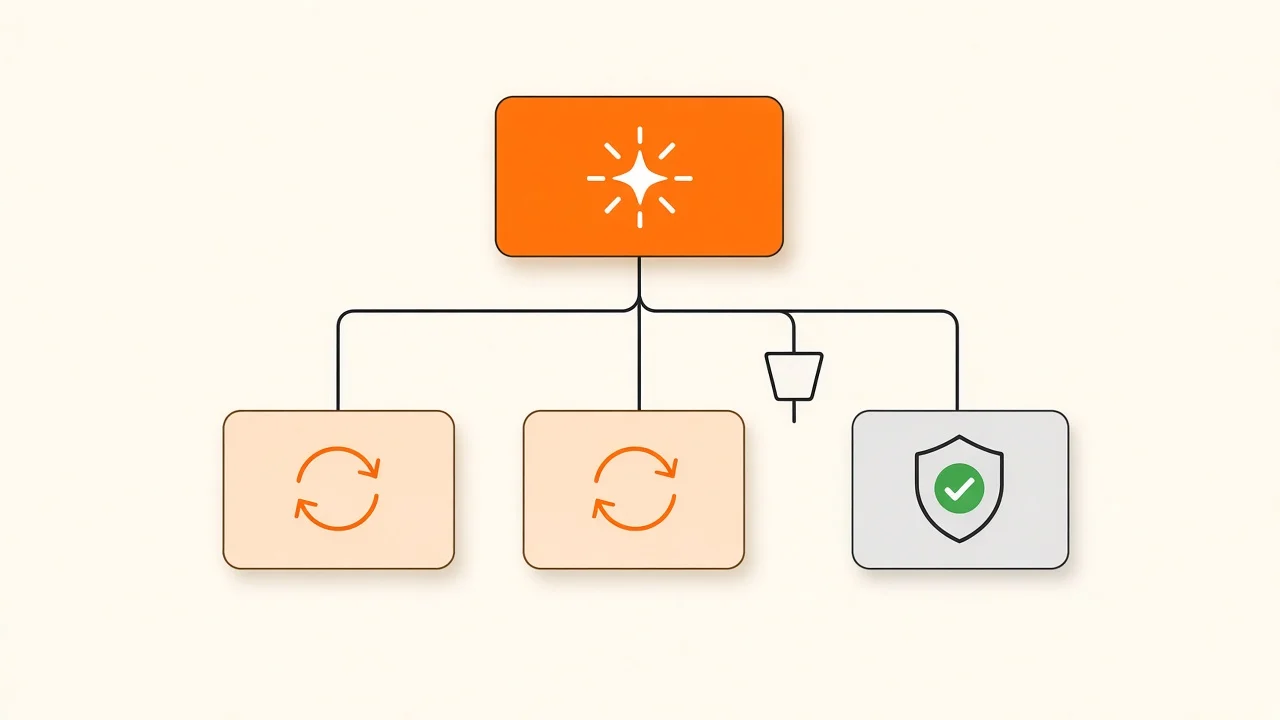
Now we can introduce re-render propagation.
Consider this example:
function Parent() {
  const [count, setCount] = useState(0)

  return (
    <>
      <button onClick={() => setCount(count + 1)}>{count}</button>
      <Child />
    </>
  )
}
Predict the output
The button is clicked twice. What does the console show in total?
function Child() {
  console.log('Child rendered')
  return <p>Hello</p>
}

function Parent() {
  const [count, setCount] = useState(0)
  return (
    <>
      <button onClick={() => setCount(count + 1)}>{count}</button>
      <Child />
    </>
  )
}Pick an answer, or press A, B, C, D on your keyboard.
This is what we mean by re-render propagation.
An update in a component can cause React to process descendants in that component's subtree during the Render Phase.
However, propagation does not mean that every descendant must always execute.
React can stop processing parts of the tree when it determines that the work is unnecessary.
This is called a bailout.
For example:
const Child = React.memo(function Child() {
  return <div>Hello</div>
})
If the Child's props are unchanged, React.memo can allow React to bail out of rendering that component.
Predict the output
Same Parent, but Child is now wrapped in React.memo. The button is clicked twice. What is logged?
const Child = React.memo(function Child() {
  console.log('Child rendered')
  return <p>Hello</p>
})

function Parent() {
  const [count, setCount] = useState(0)
  return (
    <>
      <button onClick={() => setCount(count + 1)}>{count}</button>
      <Child />
    </>
  )
}Pick an answer, or press A, B, C, D on your keyboard.
Try it yourself. Click the button, watch the console, then switch on React.memo and click again:
Therefore, the more accurate statement is:
A state update in a Parent can propagate rendering work through its subtree, causing descendants to potentially re-render. React can use bailout mechanisms to avoid unnecessary work.
This is why we should not say:
"When the Parent re-renders, every Child definitely re-renders."
Instead, say:
"When the Parent updates, React processes the Parent's subtree, and Child components may re-render unless React can bail out of that work."
Key takeaway
A Parent state update propagates rendering work into its subtree. A Child may render again even with unchanged props, unless React can bail out (for example with React.memo).
Now We Can Answer the Original Question
We can now put everything together.
When the Parent's state changes, the flow is approximately:
- 1
setCount()
React schedules an update
- 2
Render Phase
Parent renders again
- 3
Propagation
Work can move through Parent’s subtree
- 4
Child may render
Unless React bails out (e.g. memo)
- 5
Reconciliation
Decide what work is necessary
- 6
Commit Phase
Only required DOM changes are applied
The important part is:
The Child does not need to have changed its own props for its component function to potentially execute again.
The update originated in the Parent, and React needs to process the relevant subtree during the Render Phase.
However, whether the Child actually executes depends on React's ability to bail out of that work and on other factors such as memoization, context, state, and element identity.
The Important Distinction: Render vs DOM Update
This leads to one of the most important concepts in React performance.
Consider:
function Child() {
  console.log('Child rendered')
  return <div>Hello</div>
}
If the Parent updates and the console prints Child rendered, we know that the Child function executed.
But that does not mean React performed a DOM update. React may calculate that the resulting DOM is identical.
This distinction prevents a common misunderstanding when discussing "unnecessary re-renders."
Key takeaway
Seeing Child rendered in the console proves the function ran, not that the DOM changed. Re-rendering is render work; DOM mutation is commit work.
The Complete Mental Model
We can now summarize the complete process:
- 1
React Elements → Element Tree
- 2
Fiber Tree
Unit of work for rendering
- 3
State Update
- 4
Render Phase
Propagation + reconciliation
- 5
Bailout or continue work
- 6
Commit Phase
DOM mutations only where needed
And each concept has a different responsibility:
| Concept | Responsibility |
|---|---|
| React Element | Declarative description of the UI |
| Element Tree | Hierarchical representation of the UI description |
| Fiber | React's internal structure for tracking and processing rendering work |
| Fiber Tree | Internal representation of the component/UI hierarchy used during rendering |
| Render Phase | Calculates the next UI and processes rendering/reconciliation work |
| Re-render Propagation | Describes how rendering work can move through a component's subtree |
| Reconciliation | Determines how the existing UI should be updated based on the new rendering result |
| Bailout | Allows React to skip unnecessary rendering work |
| Commit Phase | Applies the required changes to the DOM |
The key takeaway
Changing a Parent's state can cause React to process the Parent's subtree during the Render Phase. This work can propagate to Child components, so a Child's function may run again even when its props have not changed. Bailouts such as React.memo skip unnecessary work, and the Commit Phase applies only the changes the DOM actually needs.
Check your understanding
When Parent setState runs, Child always re-renders.
Pick an answer, or press A, B on your keyboard.
Recap
What to remember from this article
Sections read
0
Questions
0
none answered yet
Quiz
0
not taken yet
Up next: Stop Unnecessary Re-renders · 3 min
Continue